
Searching Cullman County Civil Dockets
Just One Look, also called AlacourtACCESS is the paid remote source. It covers Alabama Circuit and District trial-court reports. You can search by name or case number. Each search costs $9.99, and that fee applies even when no case matches. Have the full case number handy if you know it. With a name search, check the spelling and confirm Cullman County and the court division. Note the filing date too, before trusting a result as the right civil case.
The Circuit Clerk of Cullman County keeps the files. That includes Circuit, District, Small Claims, and domestic-relations matters handled through the unified trial courts. Eligible electronic dockets can be viewed at no charge at the clerk's Room 303 counter in the Cullman County Courthouse, 500 2nd Avenue SW, Cullman, AL 35055, during regular business hours. The official clerk directory lists Circuit and District Civil at (256) 775-4800. Small Claims is at (256) 775-4694, and Domestic/Child Support is at (256) 775-4799. Mailed requests go to the Room 303 address too.
- Choose Circuit, District, Small Claims, or the separate Probate Court custodian from the claim and court papers.
- Search Just One Look by complete case number when available, or check the party name and county before paying.
- Match the case by division, case number, style, filing date, and status rather than a name alone.
- Read the case action summary from complaint and service through the newest setting, order, or judgment entry.
- Call the correct clerk division for an unavailable image, current setting check, plain copy, or certified judgment.
Cullman County Civil Docket Levels
Money limits sort the cases. Under Cullman County Circuit Court guidance, original civil jurisdiction starts above $20,000. District Court guidance reaches $20,000, and Small Claims reaches $6,000. Beyond the dollar figures, Circuit Court handles equity and injunction matters, boundary cases, workers' compensation, divorce, protection-from-abuse matters, and specified appeals. Ignore any older published $10,000 dividing line; the current limits control.
| Court or Division | Cullman Civil Work | Clerk Contact |
|---|---|---|
| Circuit Civil | Claims above $20,000, equity, boundary, workers' compensation, and specified appeals | (256) 775-4800 |
| District Civil | Civil suits through $20,000 | (256) 775-4800 |
| Small Claims | Claims through $6,000 | (256) 775-4694 |
| Domestic/Child Support | Domestic-relations and child-support case records | (256) 775-4799 |
Probate is the exception to remember. Estates, wills, guardianships, conservatorships, and adoptions belong with Cullman County Probate Court, not the Circuit Clerk's ordinary civil search path. So a missing Just One Look result can simply mean the wrong custodian rather than the absence of a proceeding.
Inside a Cullman County Civil Docket
The public-facing case action summary is a chronology. It is not the full case file. AlacourtACCESS describes the case-detail report as including basic case information, court action, status, setting dates, party data, financial history, and a detailed summary. Party labels, cause codes, image icons, and judgment-status values can vary, so read the known fields and resist guessing at an unfamiliar abbreviation. When an entry confuses you, the filed document answers the question.
| Case identity | Cullman County, court division, full case number, case style, filing date, case type, judge, and status. |
|---|---|
| Parties | Plaintiff and defendant, or petitioner and respondent, with role labels and possible attorney associations. |
| Process | Summons, service, return of service, answer, and default-stage events recorded by date. |
| Motions | Filed requests such as motion for judgment or summary judgment; the entry alone may not state the result. |
| Settings and orders | Hearing dates, notices, judicial rulings, and linked images when an image is remotely available. |
| Judgment activity | Judgment, dismissal, enforcement, and appeal events that can continue after the main claim is resolved. |
Just One Look prices document images separately. The cost is $5 for the first 20 pages and $0.50 for each added page. An image is the filed paper behind an entry. A certified copy adds a third layer, authenticated by the clerk. The distinctions matter when you need the signed judgment rather than a docket summary.
Cullman County Civil Docket Rulings
A motion entry proves one thing. A request reached the docket. It does not prove the judge granted it. An order entry shows that a written ruling was filed, but a short label may not disclose the terms. When the outcome matters, open the available image or note the date and ask the Cullman County civil division for the public document. Read a screen view no further than its own text supports.
- Motion
- A party's request for a ruling; filing the request is distinct from receiving a favorable order.
- Default judgment
- A judgment entered after the required conditions are met when a party fails to plead or defend.
- Summary judgment
- A ruling request decided under the governing standard without a conventional trial on the claim.
- Dismissal
- An ending of a claim or case whose terms depend on the actual order.
- Writ of execution
- A post-judgment court process that can add new activity after the judgment entry.
Local process names include alias summons, attachment, garnishment, and subpoena. Alabama's own display uses its own terms, so do not import abbreviations from other states. Read the words actually shown, then use the filed document for the court's full direction.
Civil Case Types on the Docket
A Cullman County civil docket can track a money claim, an equity request, a property boundary matter, a workers' compensation claim, a domestic case, or an appeal assigned to Circuit Court. The court level and clerk division are part of the record's meaning. Small Claims runs through District Court. Circuit Court hears the broader and higher-value work described by the official local jurisdiction pages. Knowing which level holds the case speeds any docket search.
- General Circuit civil claims above the current District Court limit
- District civil suits within the current $20,000 jurisdiction
- Small Claims matters through the current $6,000 cap
- Equity, injunction, boundary, and workers' compensation matters assigned to Circuit Court
- Divorce, domestic-relations, child-support, and protection-from-abuse proceedings where public access permits
- Specified appeals that create activity in Circuit Court
Estate and adoption files do not sit on the Circuit Clerk's desk as ordinary Cullman County civil docket records. They belong to Probate Court, which can apply separate confidentiality rules. Start from the type of proceeding, not from the broad word “civil.”
Cullman County Civil Docket Privacy
Domestic Relations has its own named Cullman clerk division. That does not make every filing fully public. Protection-order documents must omit protected home and business addresses, phone numbers, and shelter-location information, and other personal identifiers may be redacted under Alabama's court-record privacy rules. The official protection-order statute sets the privacy rule for those protected addresses, phone numbers, and shelter details.
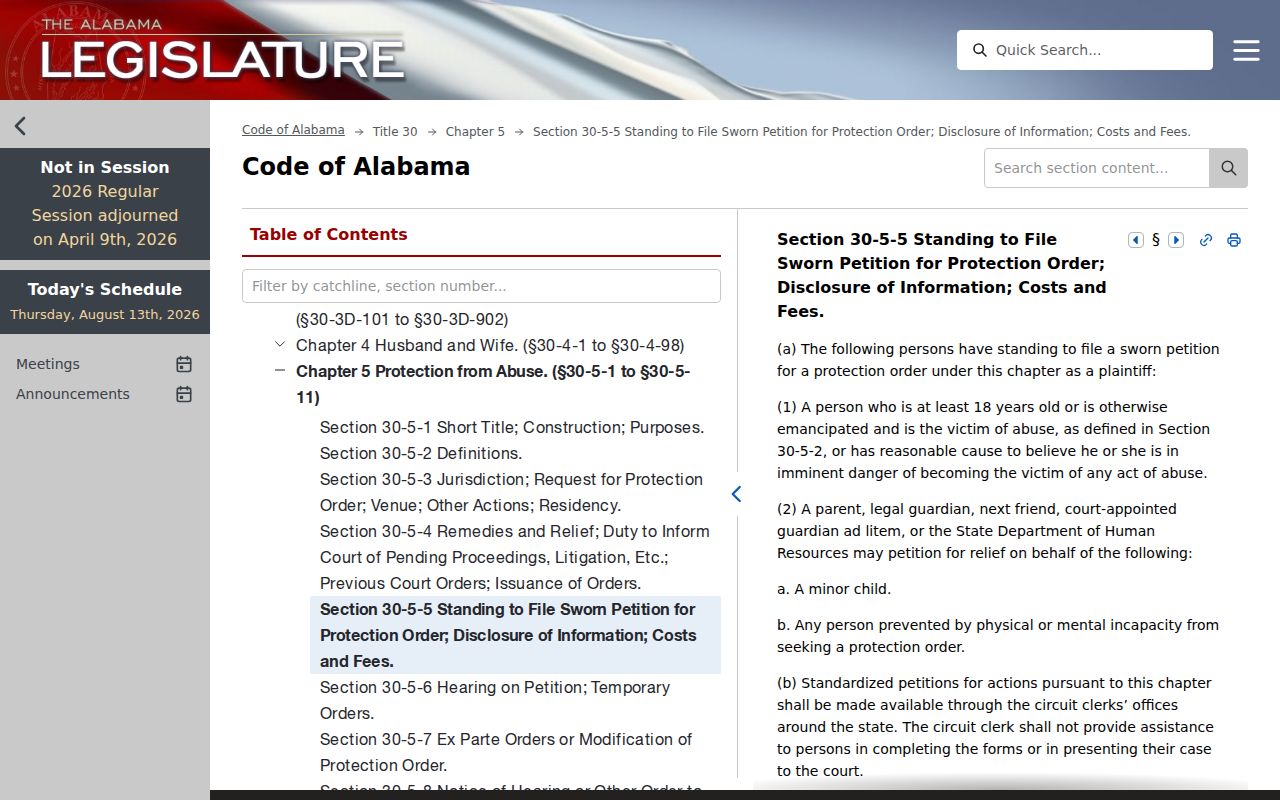
This is why a visible Cullman County civil docket can coexist with redacted data in the documents behind it.
On adoptions, the official adoption-record sealing provision addresses the sealed and withheld status of adoption-related records.
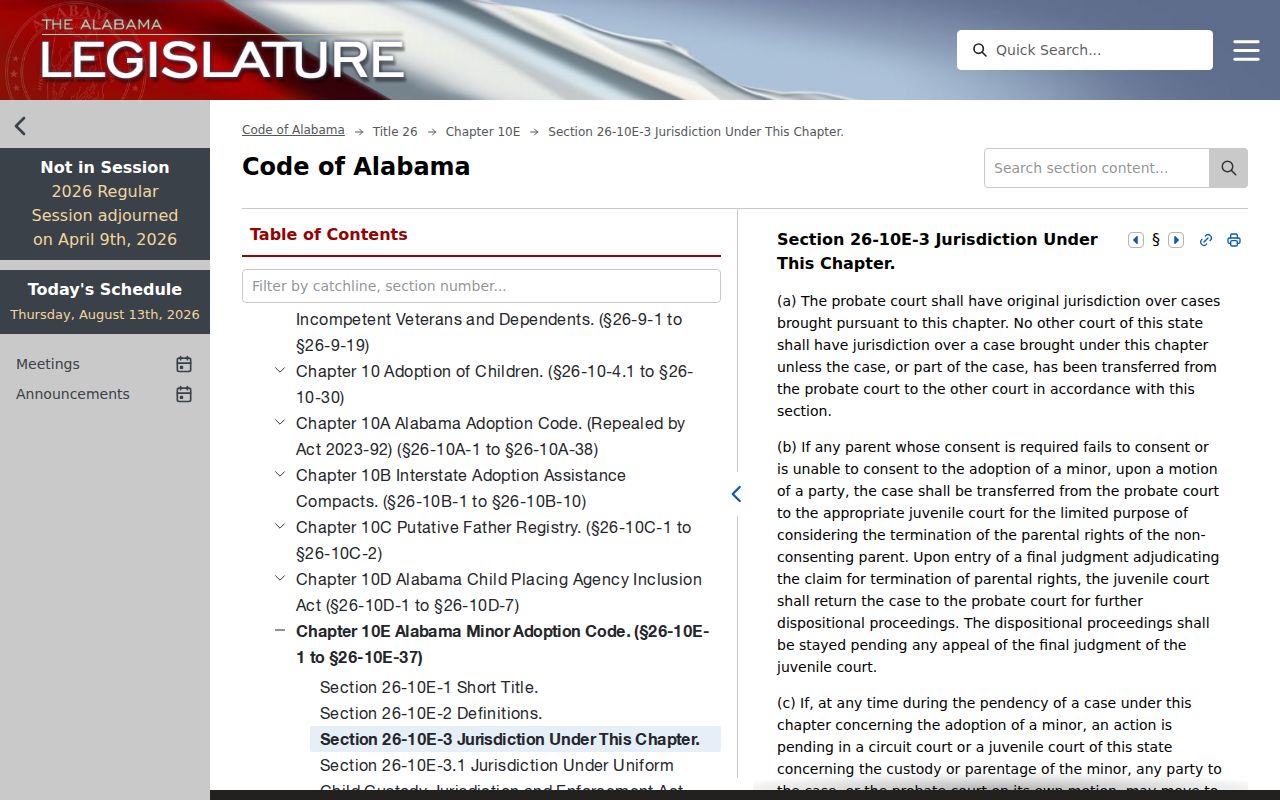
Adoption records show the custodian split at work. Probate Court may hold the permanent file under separate access limits, outside the standard Circuit and District civil route.
Civil Docket Settings and Hearings
AlacourtACCESS lists setting dates in its case-detail report. A Cullman County civil docket can read like a timeline. Notices, motions, hearing settings, trial dates, and resets stack on top of each other. Old dates stay in the history. Work backward from the newest entry. Then call the civil division or the assigned judge's office to confirm any unclear time, courtroom, or current date.
One caution matters here. A setting is not a ruling. The docket can show a motion was set for hearing. It may say nothing about how the judge ruled. A continuance leaves the first date in place and adds a newer entry on top. The newest notice controls only until something changes it again. Before any time-sensitive appearance, check against the court's most recent communication.
The Cullman County clerk posts no standalone daily civil calendar. For confirmation, rely on Just One Look, the filed notice, counsel when there is one, and the Circuit/District Civil line. The statewide portal's setting field helps, but the responsible court always has the final word.
Cullman County Civil Docket After Judgment
A judgment rarely closes the book. The Cullman County civil docket can keep growing afterward, recording garnishment, a writ of execution, an appeal, or some other enforcement step as its own distinct event. Read the judgment entry alongside the signed judgment itself. Match any later enforcement entry to its own filed paper.
Cullman civil flow: Complaint › Summons and service › Answer or default stage › Discovery and motions › Notice and setting › Trial or dispositive ruling › Judgment › Enforcement or appeal
No case walks every step. A dismissal can end a claim early. A default stage carries its own procedural conditions. An appeal may shift a limited-jurisdiction matter into Circuit Court. That opens a new docket path. Let the dates and entry text in the specific file tell you which steps actually occurred.
Civil Docket Access Rules
Alabama's access rules sort trial-court records into classes. They also give the public free viewing of eligible electronic District and Circuit dockets at the clerk's office during regular business hours. Want remote access? That runs through paid Just One Look or a subscription to Alacourt. Printing, mailing, and certification may cost extra. The Cullman Circuit Clerk publishes no complete copy-fee table, so confirm current costs with the civil division.
AlaFile handles e-filing and service. Attorneys turn to Alacourt for status. Pro se litigants can register for AlaFile to get electronic notices by email. That filer account is not an anonymous public search. The public lookup, courthouse viewing, the division phone, the counter, and mailed requests each fill a different need.
Key access rules:
Alabama Rules of Court-Record Privacy and Confidentiality govern electronic docket access, restricted data, and free clerk-office viewing for eligible trial-court records.
Rule 33(D), Alabama Rules of Judicial Administration preserves inspection of electronic court records and access to printed copies at prescribed cost.
Ala. Code §36-12-40 states Alabama's baseline right to inspect and copy public writings unless another law creates an exception.
Juvenile, adoption, sealed, and some protected domestic files may be unavailable or redacted. A missing public result proves nothing about whether a proceeding existed. Ask the right custodian whether the file sits outside online coverage, is archived, confidential, or sealed.
Cullman County Civil Docket Copies
Want the signed paper behind a Cullman County civil docket entry? Start by writing down the case number, the document name, and the entry date. Check whether Just One Look sells the image. If not, call Circuit/District Civil, Small Claims, or Domestic/Child Support, depending on the file. Ask whether the paper is public. Ask whether you can get an ordinary or certified copy.
Mail requests go to the Circuit Clerk, 500 2nd Avenue SW, Room 303, Cullman, AL 35055. Call first. Confirm the current fee, accepted payment, identification requirements, and postage or return-envelope terms. Confirm the turnaround before anything leaves your mailbox. The clerk offers no general copy-request email, fax, or drop-box option. Remember that a certified judgment carries the clerk's authentication. A screen print and a paid image do not.
Transcripts travel a separate road. The clerk or judge's office can name the court reporter. But a transcript is not a clerk docket record. Exhibits and sealed filings may demand party status or a court order. Tie each request to a known Cullman County civil docket entry. That keeps the difference between the summary, the filed image, and the certified copy clear.